
IT Architecture
Becoming an ace of IT architecture documentation - Part II
Discover how to structure, maintain, and validate a TAD (Technical Architecture Document) effectively, using standards, collaborative processes, and the right tools. An essential approach for mastering the IT system in the face of cyber and regulatory challenges.

We continue our series on the TAD. If you haven’t yet, take a look at the first article.
In this article, we go a little deeper into building, maintaining, and validating a TAD.
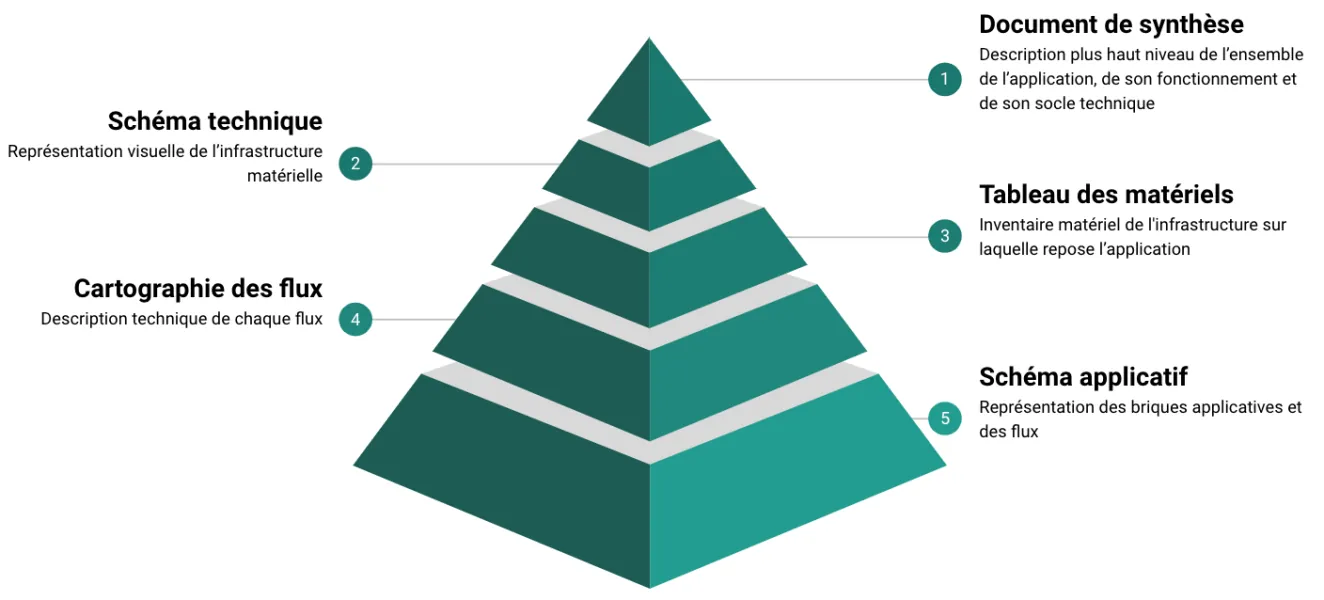
Earlier, we saw that the TAD is made up of several documents.
All these documents are interconnected and share the same information foundation. The TAD can be pictured as a pyramid in which formalizing each layer depends on the previous one.
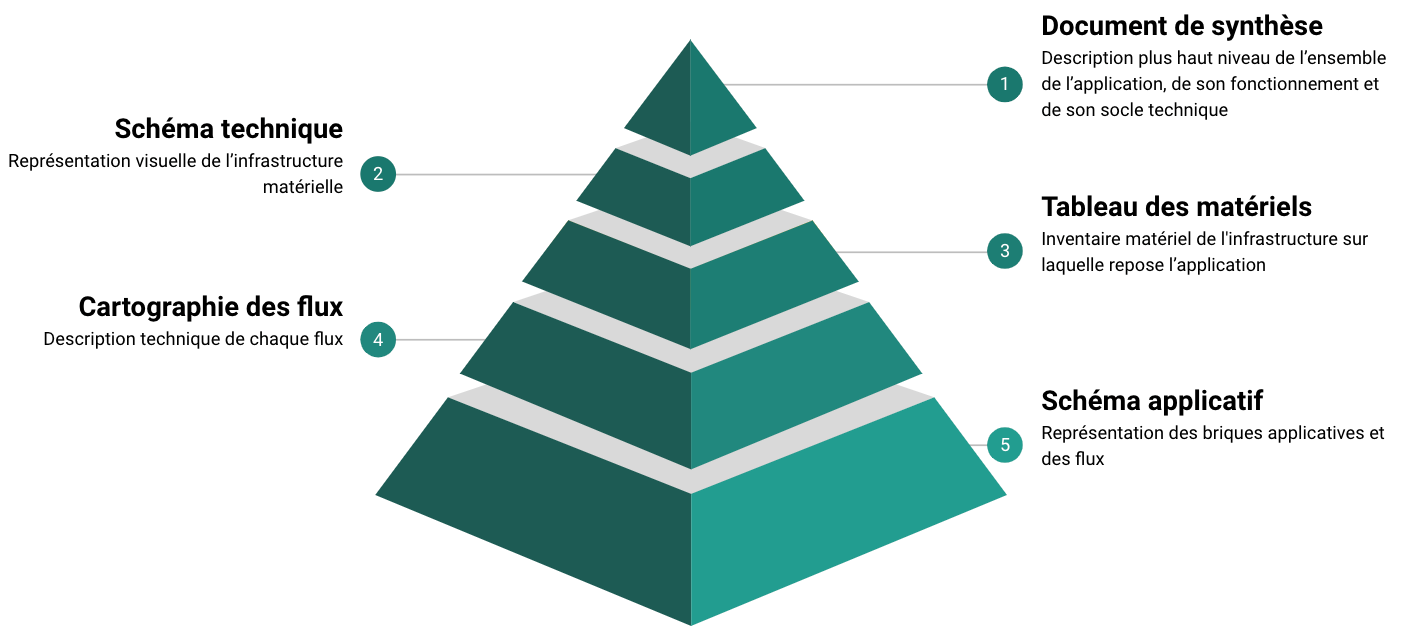
When you set out to write a TAD, it makes sense to start with the application diagram, from which the other documents flow:
- The flow map is the immediate consequence of the flows shown on the diagram
- The hardware table and the technical diagram describe the technical infrastructure that the application or service runs on, hosting the application modules shown on the diagram
A quality TAD: the challenge of consistency across information
Initial formalization and TAD maintenance
Splitting data across several documents in different formats represents a major risk of error, both at creation time and during updates. You may make a change in one document and forget the matching update in another, creating an error or an inconsistency. These errors can pile up over time and eventually lead to a TAD significantly out of sync with the actual implementation. Add to that architect turnover and other team transitions, which can erode history and knowledge and naturally raise the risk of mistakes.
Two typical examples to make this clearer:
- The same flow has different protocols between the application diagram and the flow map. Say flow I2 is shown as HTTP on the application diagram and as HTTPS in the flow map.
- The hardware inventory is inconsistent between the hardware table and the technical diagram, with machines present on the diagram but missing from the table.
In both cases, how do you tell where the error is? Since information is shared across documents, you can’t easily identify the root error at first glance. You have to dive into the change history and possibly call on people who know the application’s implementation in detail. Needless to say, this can mean a lot of time lost investigating server configurations, firewalls, old TAD versions, and so on.
TAD standardization
Let’s not forget that the TAD, in addition to being a technical document, is a communication artifact that may be read by different actors with different expectations. Network teams will mostly look at the flow map, deployment teams at the hardware table, business stakeholders at the synthesis document, security teams at the entire TAD, and so on.
Having consistency across all TADs is therefore essential to make them easier to read, to let everyone find the information they need, and to avoid misunderstandings. That’s why it is recommended to use a template with the structuring data pre-filled for each document, for example, the flow map containing the list of network zones. This template is straightforward for Excel-style documents (flow map, hardware table) and Word-style documents (synthesis). However, for diagrams, consistency is harder to obtain with current tools (Visio, Drawio, etc.) and depends heavily on the architect’s rigor.
Also, an IT system is in constant motion: new network zones are created, others disappear, infrastructure services consumed by applications get decommissioned, and so on. The TAD template must therefore evolve accordingly so architects can produce documentation perfectly fitted to the current state of the IT system.
TAD validation cycle
The TAD has a specific validation process through an Architecture Committee. This is a collegial body whose role is to validate TADs: either the publication of a new TAD for a new application, or a TAD update tied to an architecture evolution. Note that any new TAD or TAD update is associated with a Production Release. This release can be simple (for instance, opening a new flow or provisioning a server) or complex (for instance, the full installation of an application when the TAD is brand new).
Going to the Architecture Committee requires a prior peer or expert review, with feedback on the TAD (comments and/or reservations). The committee then gives its final approval (or not), authorizing the project to proceed with the production release.
A key point about this validation process is that it must be tailored to the type of validation: a minor validation (for instance, adding a flow) cannot be handled the same way as a major one (changes in network zones, addition of application modules, addition of 100 flows). This flexibility is crucial so that the review and validation step is not perceived by projects as a constraint. Otherwise, projects will find workarounds and evolve their architecture without updating and validating their documentation, undermining the mastery of the IT system.
To put these elements into perspective, let’s revisit the Zebra application example from the first article:
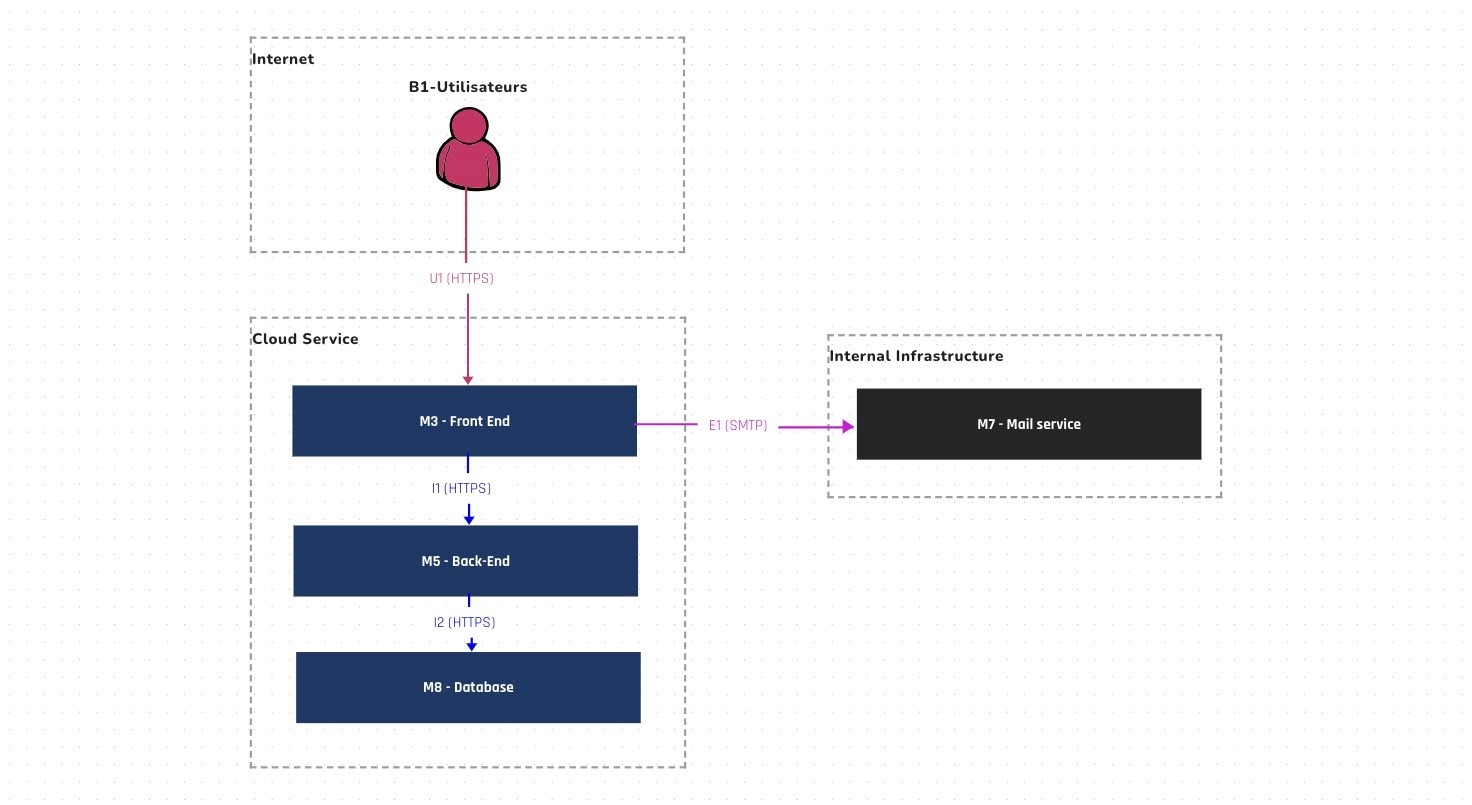
Imagine that, as part of the review, the security expert raised the following reservation:
- Any external connection must go through an application filtering device.
The project and the architect therefore reworked their architecture and proposed the following diagram, which was accepted by security:
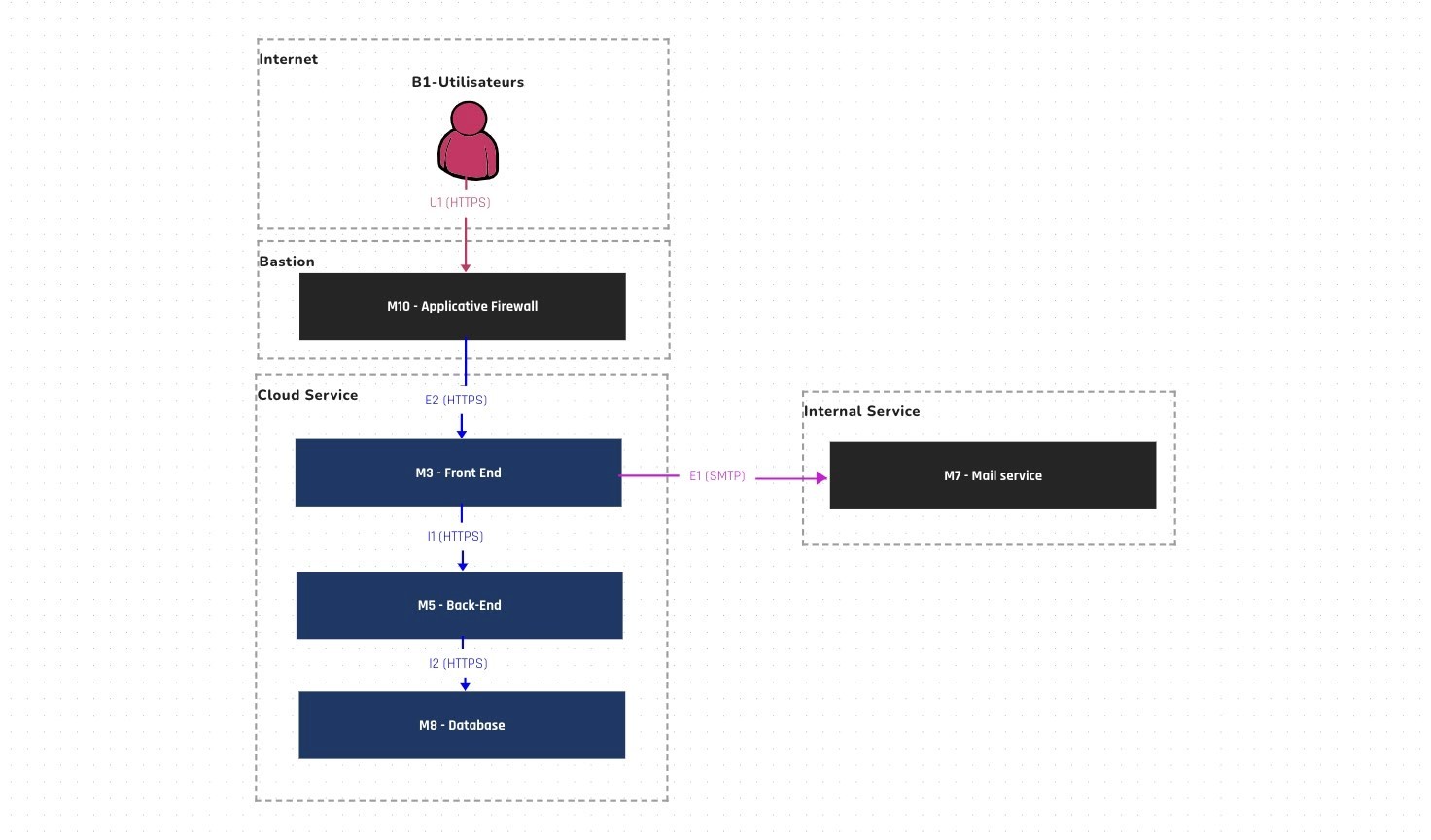
This review step refines the architecture and prevents practices that go against standards (security, infrastructure, etc.).
Even though architects know their topic, they can sometimes make mistakes or have oversights. That’s why so many people are involved in producing a TAD, from writing to validation. The TAD is teamwork!
A summary of the key concepts seen so far:
- The TAD can be compared to a building’s blueprints and provides the technical and functional information for an application (or an infrastructure service)
- A TAD is made of a set of documents, each with a specific function, all interconnected through shared information
- A TAD is subject to errors and inconsistencies that need careful attention. Establishing editing standards and review/validation processes is therefore essential
- The TAD is a communication artifact aimed at multiple roles, and must be understandable by all
PS: We built the Uncia tool to provide a simple answer to all these pitfalls. Visit our page and reach out for more information!