
IT Architecture
Is your architecture document still true? Four checks against your own data
Architecture documents drift from the day they are signed off. Four checks against data you already have, and a worked example of what they turn up.

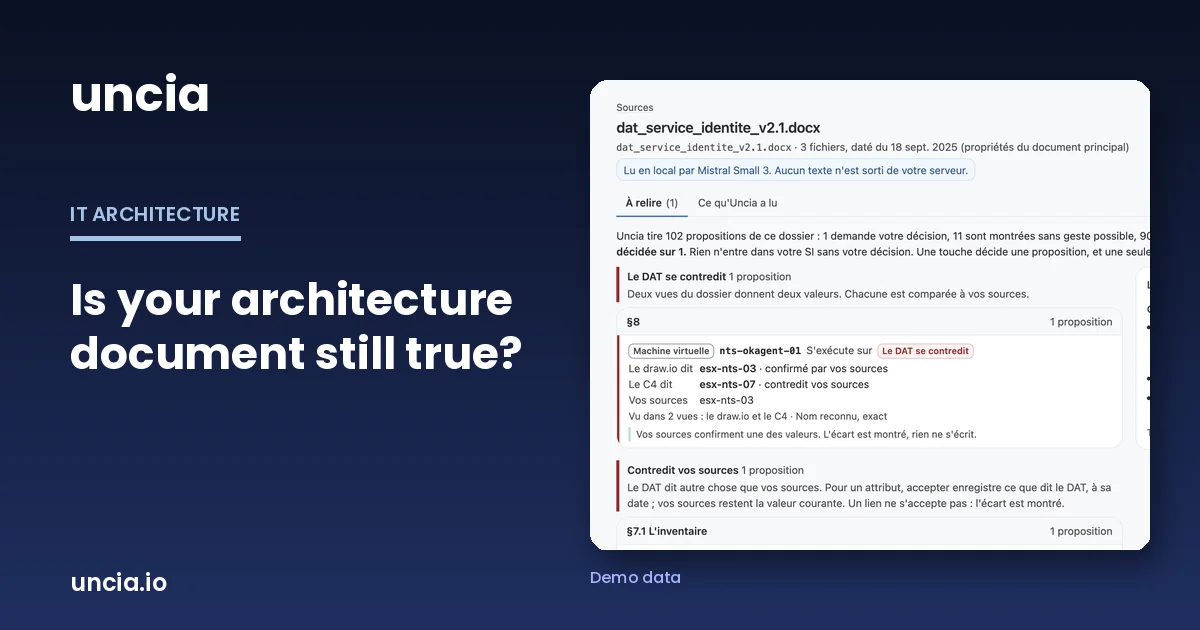
In France, most infrastructure projects end with a DAT, a technical architecture document that bundles the application diagram, the flow map, the hardware table and a summary, and goes to an architecture review board for sign-off. Teams elsewhere would call it a solution architecture document. Whatever the name, it’s usually accurate on the day it’s approved, and a year after go-live few of them still describe what’s running. The authors aren’t to blame: the document describes a project, the project ends, and the infrastructure keeps moving.
The document stops, the estate keeps moving
On go-live day the document freezes a picture, and then normal life resumes. A VM moves to another host during maintenance. An OS upgrade slips by a quarter, then a year. A firewall flow gets opened through an urgent ticket and nobody reopens the Word file. Each of these decisions makes sense on its own, and each one pulls the document a little further from reality.
Nobody is paid to keep the document current after go-live. Whoever picks it up next year, an auditor or a migration team, will still assume it’s accurate. That is when the gap gets paid for, in days of checking or in a decision taken on a version that no longer runs.
It contradicts itself before it contradicts reality
Different people write the parts of an architecture document, weeks apart, often in different tools (Word, draw.io, Visio, a C4 model). An article on this blog from 2024 described a flow marked as HTTP on the diagram and HTTPS in the flow map. Finding that kind of gap takes no outside data at all, only a careful read of the document against itself.
That check costs almost nothing, so run it first. Take every server in the hardware table and find it on the infrastructure diagram, then every flow in the flow map and find it on the application diagram. On a document more than two years old, it would be surprising if everything lined up.
Four checks against data you already have
To compare the document with reality, the exports your teams already produce are enough to start.
- Hosts. The hardware table against your hypervisor export (RVTools for VMware, the Hyper-V inventory): names, host or cluster, resources.
- Versions. The OS the document claims against the OS the export reports, then the end-of-support date for that version. One date will come up a lot this winter: Windows Server 2016 leaves extended support on January 12, 2027 (per endoflife.date, checked October 29, 2026).
- Flows. The document’s flow map against the firewall rules. A documented flow with no rule either doesn’t work or takes another route. A rule with no documented flow is an opening nobody can explain anymore.
- Applications. The applications the document names against your CMDB or application inventory. If an application is missing from the CMDB, it was either retired or slipped out of your inventory, and you want to know which.
For each gap, write down what the document says, what the source says, and the date of each. Hold off on fixing the document. Sometimes it’s right, because it describes a target the project never reached, and the running estate is what drifted.
What an architecture document review turns up on a demo document
We built Uncia to run these checks without spending days on each document. On our demo dataset, a fictitious insurer, they produce the following.
The document under review covers an identity service: a Word document, a draw.io diagram and a C4 model, uploaded as they are. Uncia extracts 102 proposals. Other sources (inventories, CMDB, flow matrices) confirm 90 of them. Eleven are shown but can’t be accepted, because no source sees the element or the sources contradict the link. One needs a decision.
Two of the gaps are worth describing. The first sits inside the document. For the VM nts-okagent-01, the draw.io diagram names host esx-nts-03 and the C4 model names esx-nts-07. The hypervisor inventory confirms esx-nts-03, so one of the document’s two views is right and the other isn’t.
The second sets the document against reality. In section 7.1, table 1, row 4, the document says nts-dc-02 runs Windows Server 2022. The inventory says Windows Server 2016. On paper, the machine gets security updates until October 14, 2031; in practice, it loses them on January 12, 2027 (endoflife.date, checked October 29, 2026).
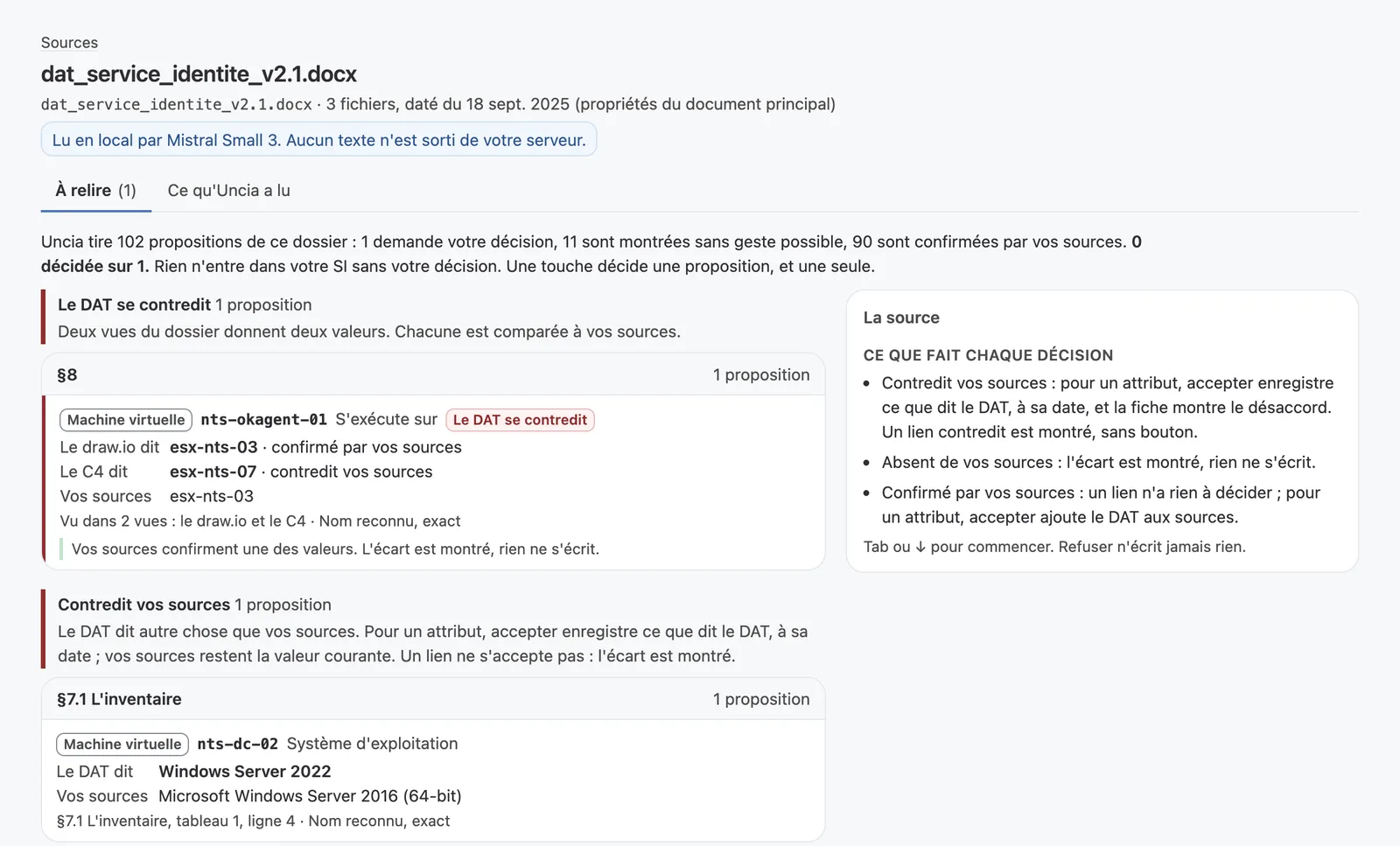
A local language model read the document text on the server; no text left the server. Nothing went into the repository without a decision either: the architect sees each gap and the source behind it, then accepts or rejects it with one key.
What stays with the architect
When the document and the sources disagree, the tool shows the gap and leaves the call to a person. If the document describes a target and the estate has drifted away from it, the estate may be the problem. We don’t want a tool that makes that call instead of an architect.
The tool also only compares what you give it. Without a flow map it can’t check flows; what it can do is tell you what’s missing and what each extra file would let you verify.
As for where to start, take your most critical applications first, then the documents someone will rely on in the next three months for a migration or an audit. The rest can wait.
To see this review on the demo document and talk about yours, book a 30-minute demo. For the method in full, read how to structure an architecture document and how to maintain and validate it. On the product side, see how to check a document against your sources.